This function (coming from the WP Roll Back plugin) lets you very easily go back to different plugin versions on all WPScale client sites. In case of a problem following a plugin update, you can go back in just a few clicks.
1.1 HOW DO I RETURN TO A PREVIOUS VERSION ?
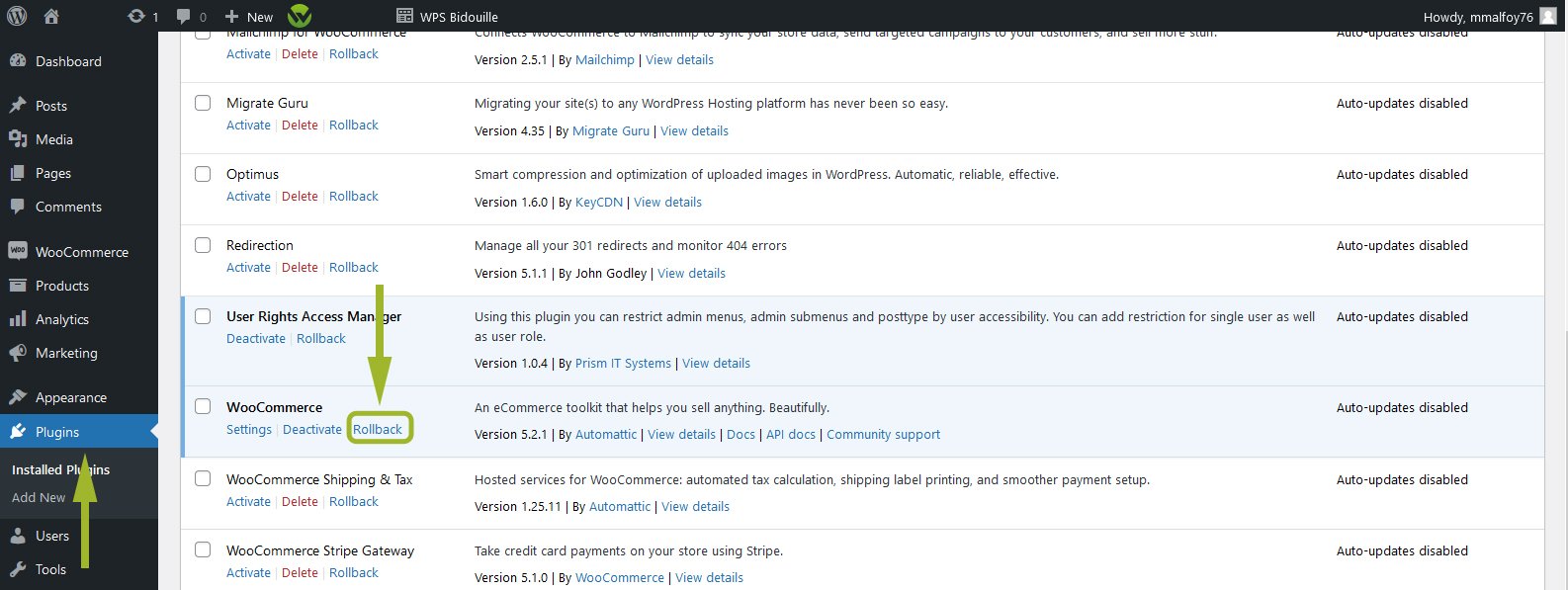
Go to your installed plugins then click on the blue "Back" link:
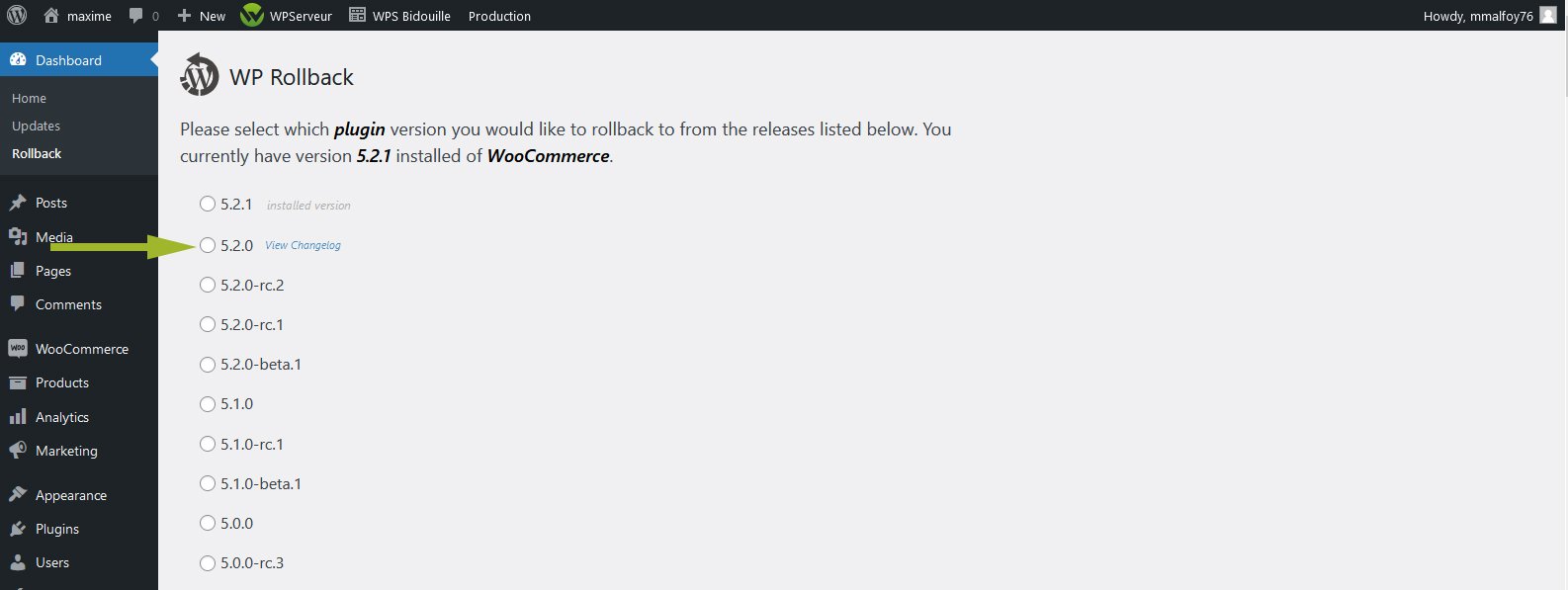
Choose the version you wish to go back to and then click on the "Back" button :
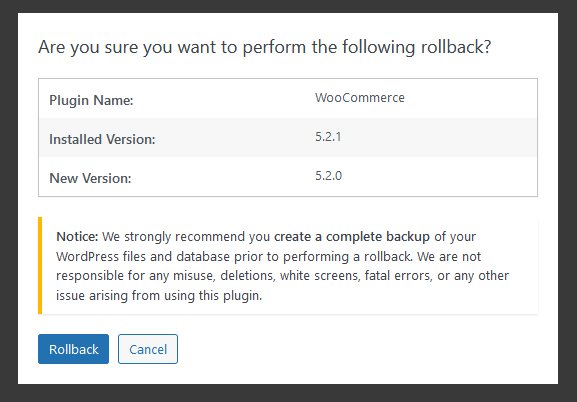
A warning message appears and asks you to confirm your choice of version, then click on the "Back" button.
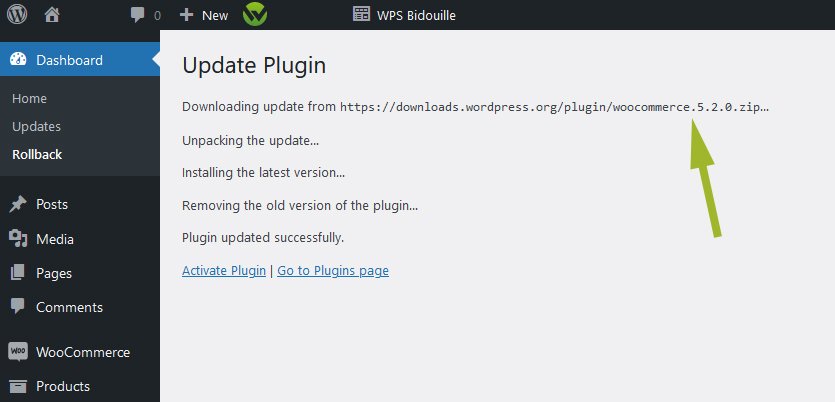
And there you have it - the previous version (2.6.6) of the "Elementor" plugin has overwritten version 2.6.7.
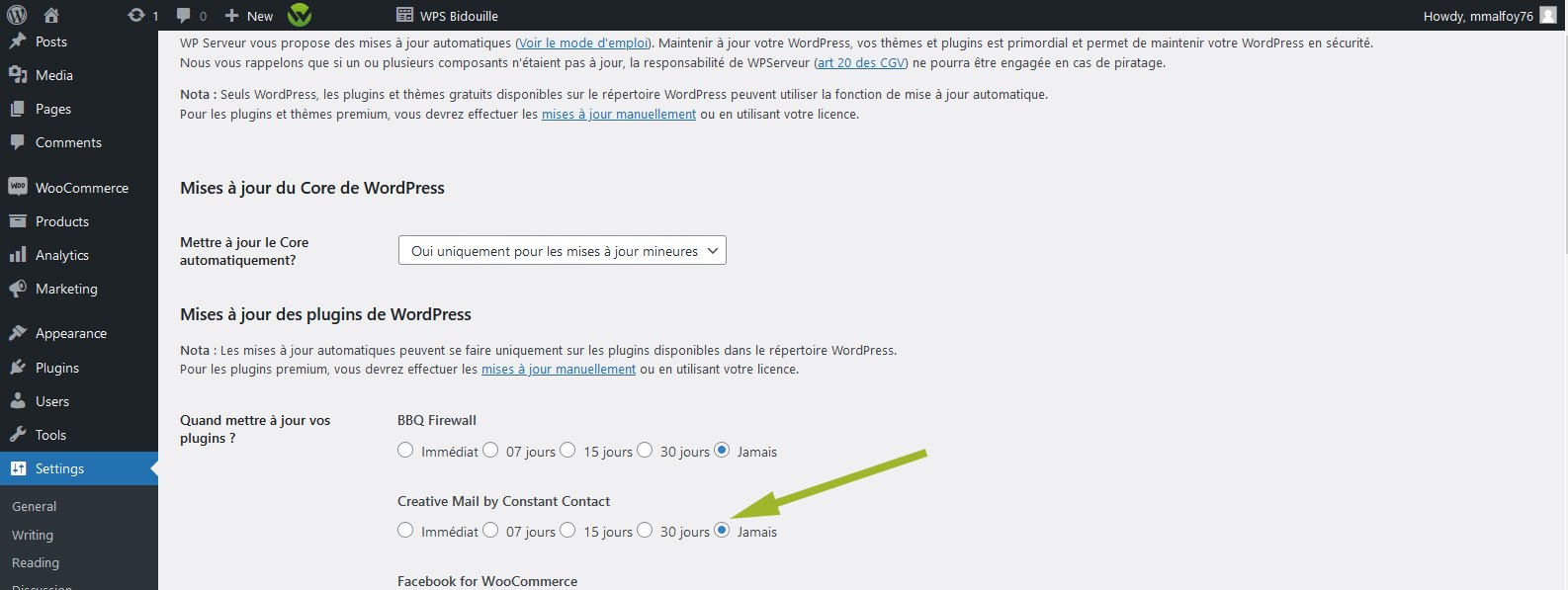
Note that for those who use the auto update available in "Settings >> Auto Updates", you need to uncheck the plugin concerned before going back to a previous version, otherwise it will update automatically.


 This function (coming from the WP Roll Back plugin) lets you very easily go back to different plugin versions on all WPScale client sites. In case of a problem following a plugin update, you can go back in just a few clicks.
 Choose the version you wish to go back to and then click on the "Back" button :
 A warning message appears and asks you to confirm your choice of version, then click on the "Back" button.
 And there you have it - the previous version (2.6.6) of the "Elementor" plugin has overwritten version 2.6.7.
 Note that for those who use the auto update available in "Settings >> Auto Updates", you need to uncheck the plugin concerned before going back to a previous version, otherwise it will update automatically.